Find everything from one search
One query covers local files, torrents, Jellyfin, Plex, Stremio sources, anime, YouTube, live TV and manga — every result labelled with where it came from.
Features
Search, stream and read across local files, servers and the web — from one native, local-first app.
What Opal does
One query covers local files, torrents, Jellyfin, Plex, Stremio sources, anime, YouTube, live TV and manga — every result labelled with where it came from.
Open a magnet and start watching while the pieces download. Opal ships with no sources enabled and hosts nothing.
Sign in to Jellyfin and Plex and their libraries join the same search — no rebuilding, no migration.
A searchable IPTV catalog, YouTube with SponsorBlock, and subtitles fetched, synced and styled per file.
Mihon and Tachiyomi-compatible extensions through the bundled Suwayomi server, beside everything you watch.
A model on your machine recommends, searches, queues and plays — no Opal account, no telemetry.
A LAN web UI, a phone remote and watch parties, with transcoding for whatever a browser can't decode.
Session restore and watch history live in one local SQLite file; Trakt sync only when you connect it.
Opal Connect sends the tab's video to Opal, adds compatible sites as sources and drives playback from a side panel.
Universal search
A query fans out to every enabled provider and comes back as a single ranked list, badged by source.
Compare Opal with other media apps →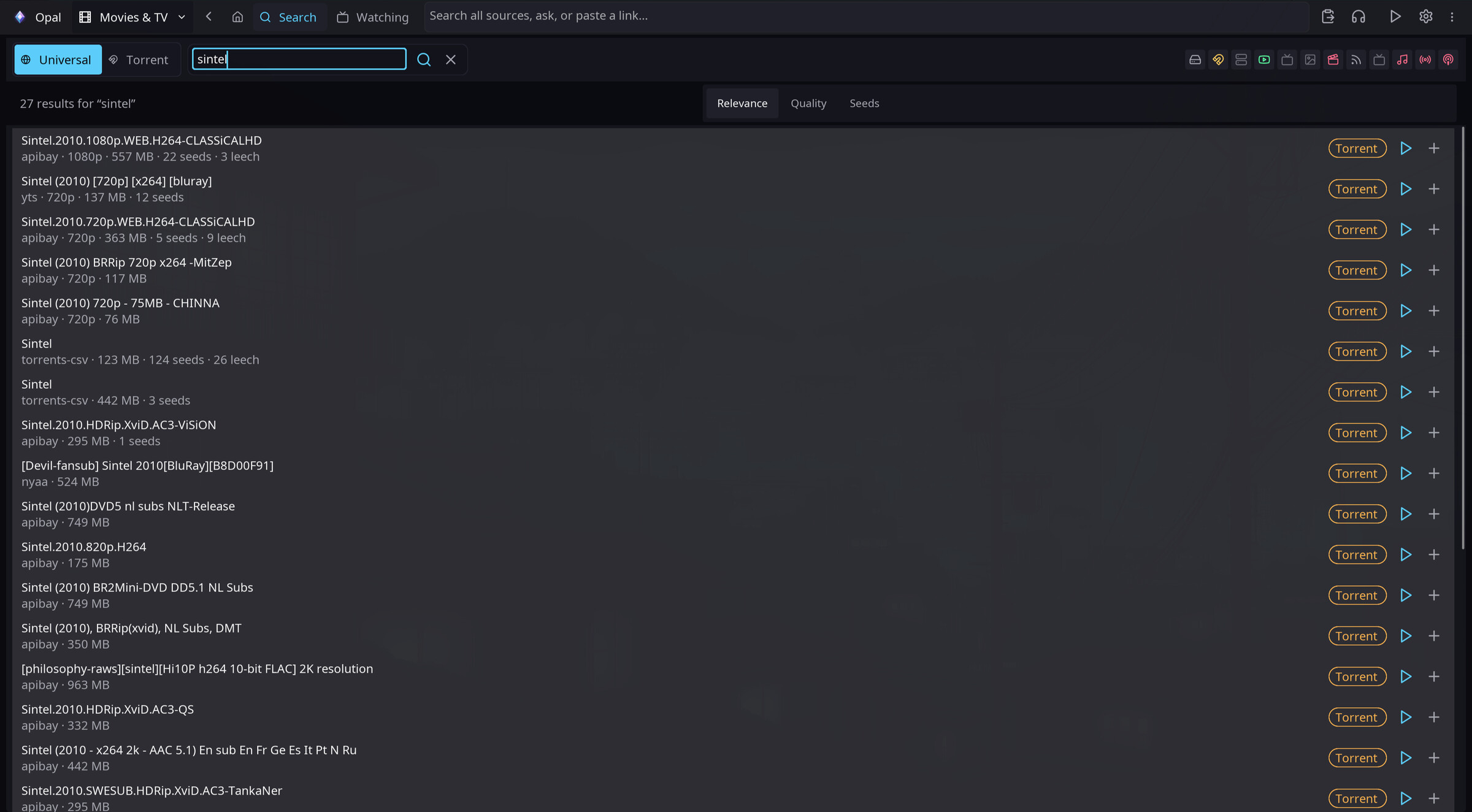
Try it
Download Opal for Linux, macOS or Windows, then enable only the sources you want.
Download OpalRead the FAQ