Opal Connect
Move from a browser tab to the player
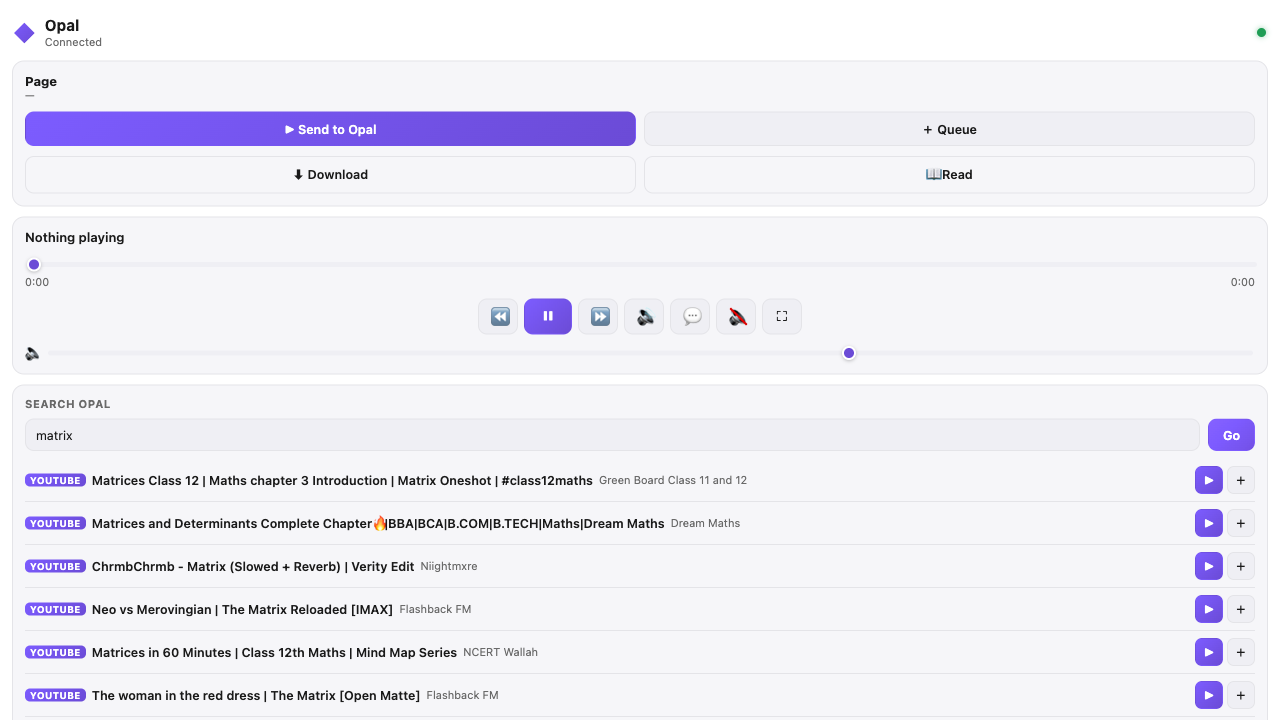
Send the video you're watching to Opal, search your sources and drive playback — without leaving the browser.
- Send supported page media to the desktop app.
- Add compatible manga sites as Opal sources.
- Search across enabled providers from the side panel.
- Play, pause and seek the current session.
Install
Choose the build for your browser
Every release ships Chrome/Edge and Firefox archives. Download yours above, extract it, then load the folder through the browser's extension tools.
- Install and launch the matching Opal desktop release.
- Open your browser's extensions page and enable developer mode.
- Choose Load unpacked (Chromium) or the temporary add-on option (Firefox), then select the extracted extension.
- Open Opal Connect and confirm that it reports the desktop app as connected.
For version-specific details, use the project documentation included with the source.
Need the desktop app first?
Opal Connect works with Opal running on your machine.
Download OpalExtension FAQ